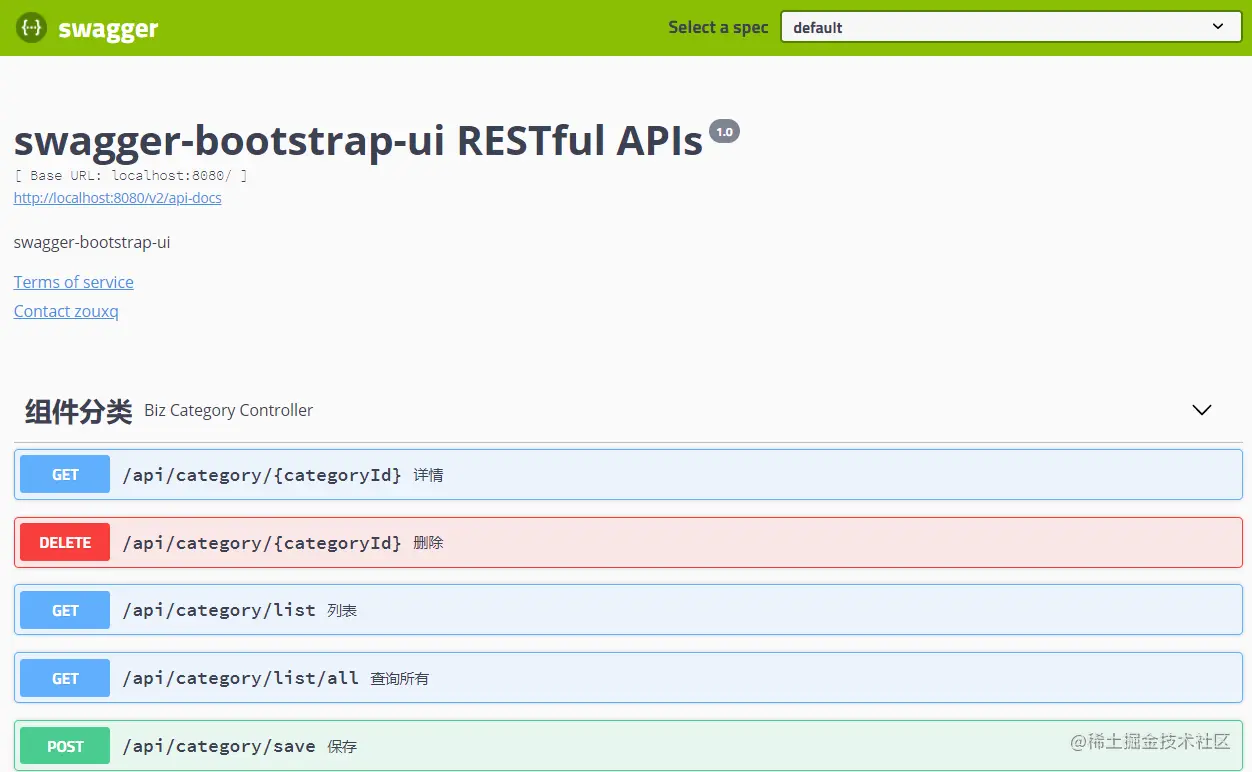
在Linux上搭建Swagger UI界面,可以按照以下步骤进行:
方法一:使用Docker
安装Docker: 如果你还没有安装Docker,请先安装它。可以使用以下命令安装Docker:
sudo apt update
sudo apt install docker.io
拉取Swagger UI镜像: 使用以下命令从Docker Hub拉取Swagger UI的镜像:
如何在Linux上搭建Swagger UI界面
docker pull swaggerapi/swagger-ui-express
运行Swagger UI容器: 使用以下命令运行Swagger UI容器,并将你的API文档挂载到容器中。假设你的API文档是一个JSON文件,路径为/path/to/swagger.json:
docker run -p 8080:8080 -v /path/to/swagger.json:/usr/src/app/swagger.json swaggerapi/swagger-ui-express
这样,Swagger UI就会在http://localhost:8080上运行。
方法二:手动安装
安装Node.js和npm: 如果你还没有安装Node.js和npm,请先安装它们。可以使用以下命令安装:
sudo apt update
sudo apt install nodejs npm
创建项目目录: 创建一个新的项目目录,并进入该目录:
mkdir swagger-ui-project
cd swagger-ui-project
初始化npm项目: 初始化一个新的npm项目:
npm init -y
安装Swagger UI Express: 安装Swagger UI Express库:
npm install swagger-ui-express
创建服务器文件: 创建一个名为server.js的文件,并添加以下代码:
const express = require(&x27;express&x27;);
const swaggerUi = require(&x27;swagger-ui-express&x27;);
const YAML = require(&x27;yamljs&x27;);
// Load Swagger document
const swaggerDocument = YAML.load(&x27;./swagger.yaml&x27;);
const app = express();
// Serve Swagger docs
app.use(&x27;/api-docs&x27;, swaggerUi.serve, swaggerUi.setup(swaggerDocument));
const PORT = process.env.PORT || 3000;
app.listen(PORT, () => {
console.log(`Server is running on port ${PORT}`);
});
创建Swagger文档: 创建一个名为swagger.yaml的文件,并添加你的API文档。例如:
swagger: &x27;2.0&x27;
info:
title: Sample API
description: A sample API to demonstrate Swagger UI
version: &x27;1.0.0&x27;
paths:
/users:
get:
summary: List all users
responses:
&x27;200&x27;:
description: An array of users
schema:
type: array
items:
$ref: &x27;/definitions/User&x27;
definitions:
User:
type: object
properties:
id:
type: integer
name:
type: string
启动服务器: 使用以下命令启动服务器:
node server.js
这样,Swagger UI就会在http://localhost:3000/api-docs上运行。
通过以上两种方法,你可以在Linux上成功搭建Swagger UI界面。选择适合你的方法进行操作即可。
「梦想一旦被付诸行动,就会变得神圣,如果觉得我的文章对您有用,请帮助本站成长」







al2359(4年前 (2023-02-06))